
Themes and colours
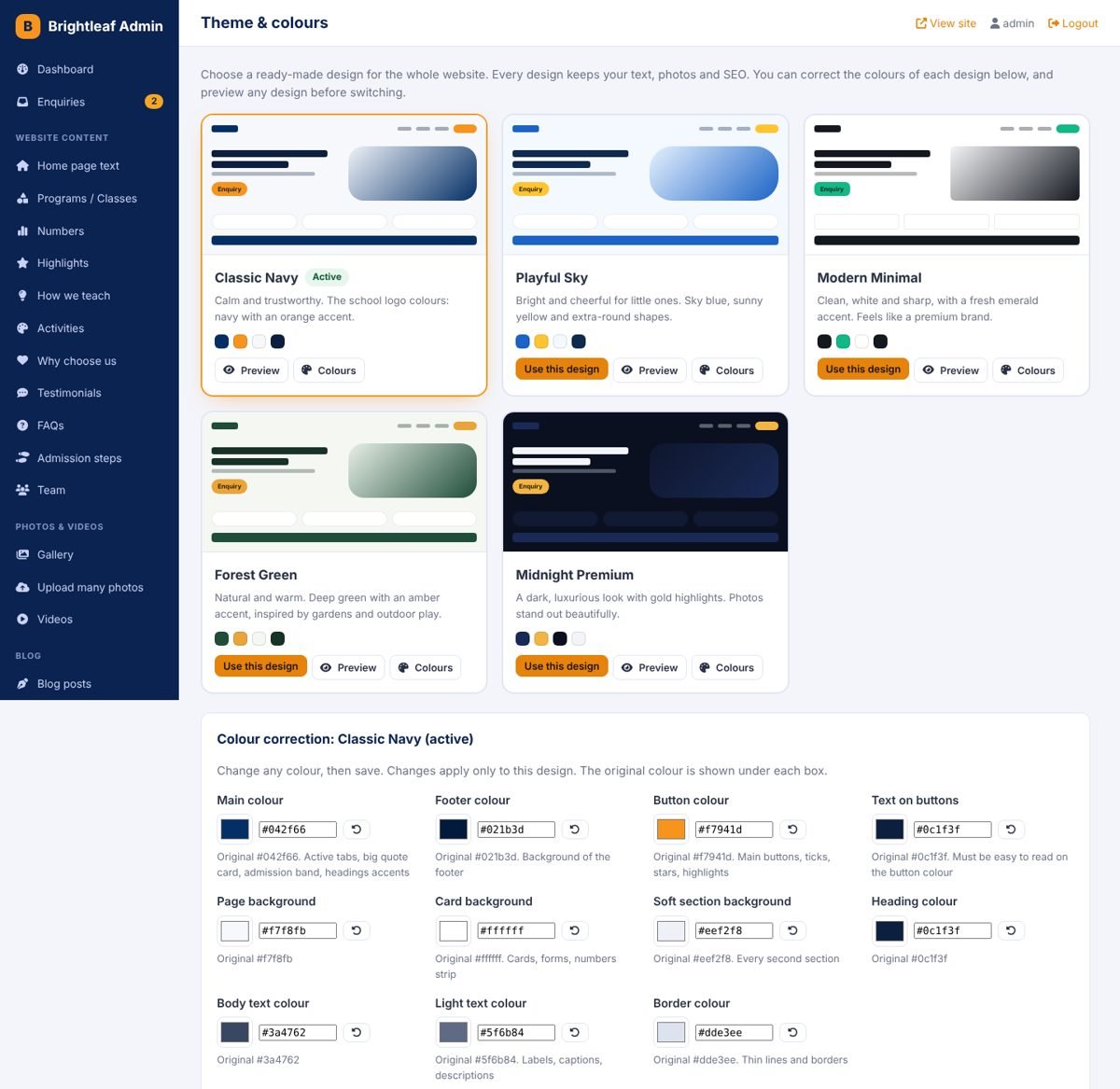
- Choose a design: Admin → Theme & colours → Use this design. Text, photos and SEO stay the same.
- Preview first: the Preview button opens the website in that design. Only you (logged in as admin) see the preview.
- Colour correction: change any of the 11 colours of each design. Corrections are saved per design, so switching back keeps them. A contrast checker warns when text would be hard to read. Reset returns to the original colours.
- Corner style: sharp, soft or extra round.
- Automatic dark mode (optional) and a Custom CSS box for small style changes.
Demo mode
Use this to show the admin panel to others (for example a live demo). In config.php set:
define('DEMO_MODE', true);
define('DEMO_USER', 'demo');
define('DEMO_PASS', 'demo12345');
Create an admin account with that username and password. In demo mode every admin screen opens, but saving, uploading and deleting are blocked, and website forms show the thank-you message without storing anything. The login page shows the demo login.